Send to Meta (paused)
Everything arrives paused. You press the button.
When an ad is ready, Chrishi builds the campaign in your own Meta ad account — and leaves every switch off. You review it in Ads Manager and activate when you are ready.
- 10 credits per sendImage or video
- Everything arrives pausedCampaign, ad set and ad
- Refunded if the send failsA send refused before it starts is never charged
Chrishi
- Your finished ad
- Your ad text and link
- Your daily budget
Meta Ads Manager
- Campaign · PAUSED
- Ad set · PAUSED
- Ad · PAUSED
You
Activatein Ads Manager, when ready
The checklist
Before you send
Five things have to be true. Chrishi checks every one before it charges you, and tells you plainly which one is missing.
- A Meta ad account connected on Integrations (“Meta (Facebook & Instagram)”) Needed before a draft can be saved
- A single image ad or a finished video ad. Carousels and slideshows are downloads.
- A destination link, as a full https:// address
- A daily budget of at least $5
- Ad text within Meta’s limits: 125, 27 and 27 characters
The form
What you fill in
Your saved ad copy fills the text fields. Type over any of them to change what is sent.
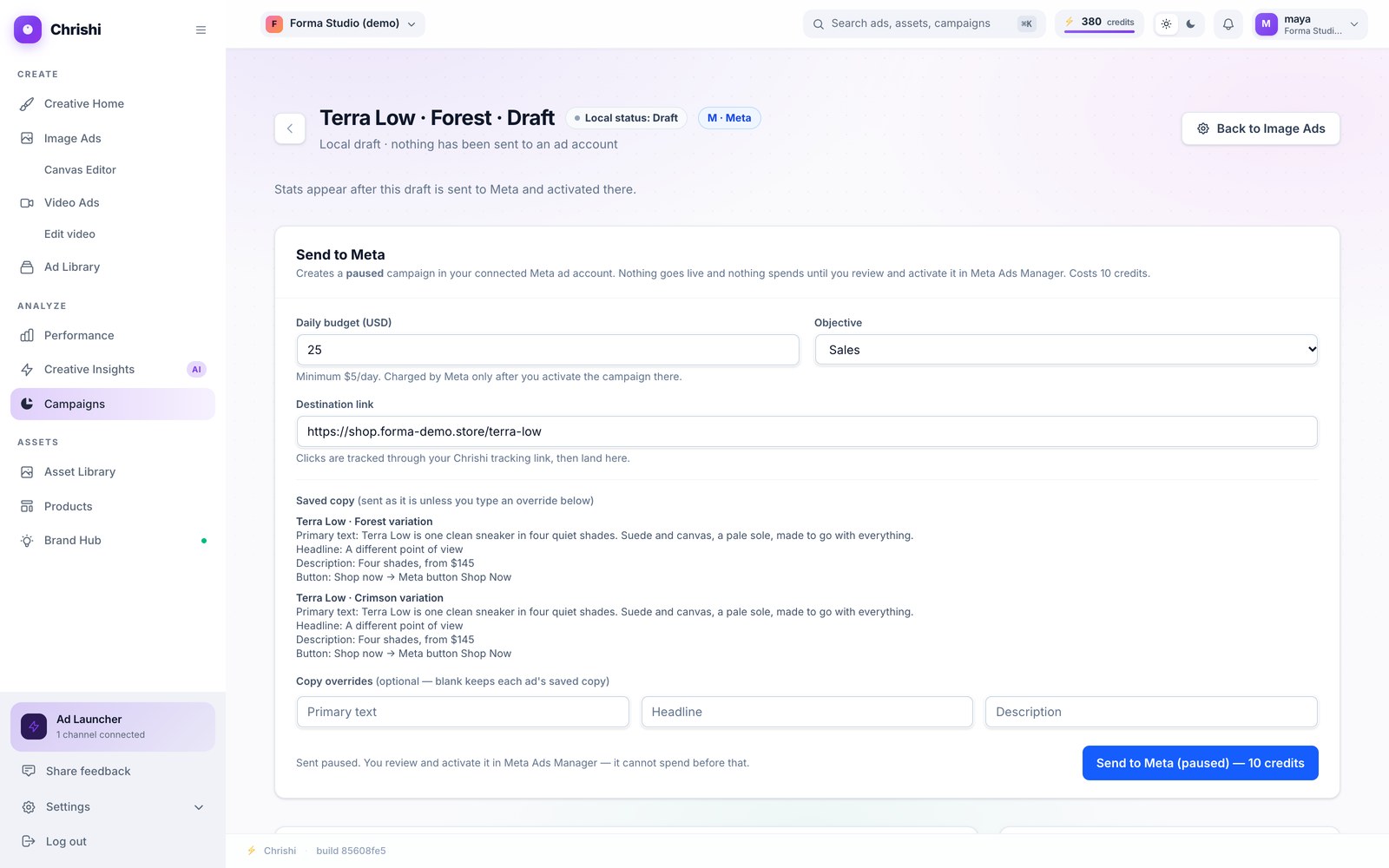
Screenshot of the current app. The tags on it are ours.
| Field | Rule |
|---|---|
| Daily budget (USD) | At least $5 a day. Meta charges it only after you activate the campaign there. |
| Objective | Sales, Traffic or Engagement. Video Ads calls it the goal. |
| Destination link | A full https:// link. Clicks go through Chrishi’s tracking link first, then land here. |
| Primary text | Up to 125 characters. |
| Headline | Up to 27 characters. |
| Description | Up to 27 characters. Optional. |
| Button | Image ads: chosen from the words printed on your ad’s button, Shop Now, Learn More, Sign Up, Download, Get Quote, Subscribe or Contact Us. Video ads: you pick it. |
| Ad account | The Meta ad account you connected. With more than one, Video Ads asks which. |
Text over a limit is refused before sending, never cut. Chrishi asks you to shorten it.
If your text uses a phrase from your never-say list, or leaves out your disclaimer, Chrishi warns you first. You can still send it as it is.
In your ad account
What happens on Meta
Five things are created in your ad account. The three that can spend, the campaign, the ad set and the ad, are all created paused.
-
Upload
Your image or video is uploaded to your ad account.
-
Campaign
A campaign is created, paused.
-
Ad set
An ad set with your daily budget, paused.
-
Creative
A creative with your text and your tracking link.
-
Ad
The ad itself, paused: one for each picture in the draft.
Then it is yours: open Ads Manager and switch it on.
The fine print, up front
Cost, refunds, limits
- Price
- 10 credits per send, image or video. One send covers every ad in the draft.
- If the send fails
- The 10 credits come back. A send refused before it starts, such as a missing connection, a bad link or text over a limit, is never charged.
- Not enough credits
- Chrishi stops before it sends and tells you. A send needs at least 10 credits in your balance.
- Carousels and slideshows
- Not sent. Download them from Image Ads; nothing is charged.
- Interrupted send
- Send again with the same settings to finish it. If it was already paid for, you are not charged twice. Different settings need a cloned draft.
- Sending twice
- A draft that has been sent cannot be sent again. It is already waiting, paused, in Ads Manager.
- Where you see it
- In Ads Manager, and for image ads under “Sent to Meta” in your library.
- Send to Meta (paused)−10
The ad waits in Ads Manager, paused.
- Send to Meta (paused)−10
- Refund: the send failed+10
Your credits end where they started.
After you activate
Spend and results stay in your hands.
Every sent ad links through route.chrishi.co, so clicks on it are counted in your workspace. Spend and results are in Ads Manager, where you control them.
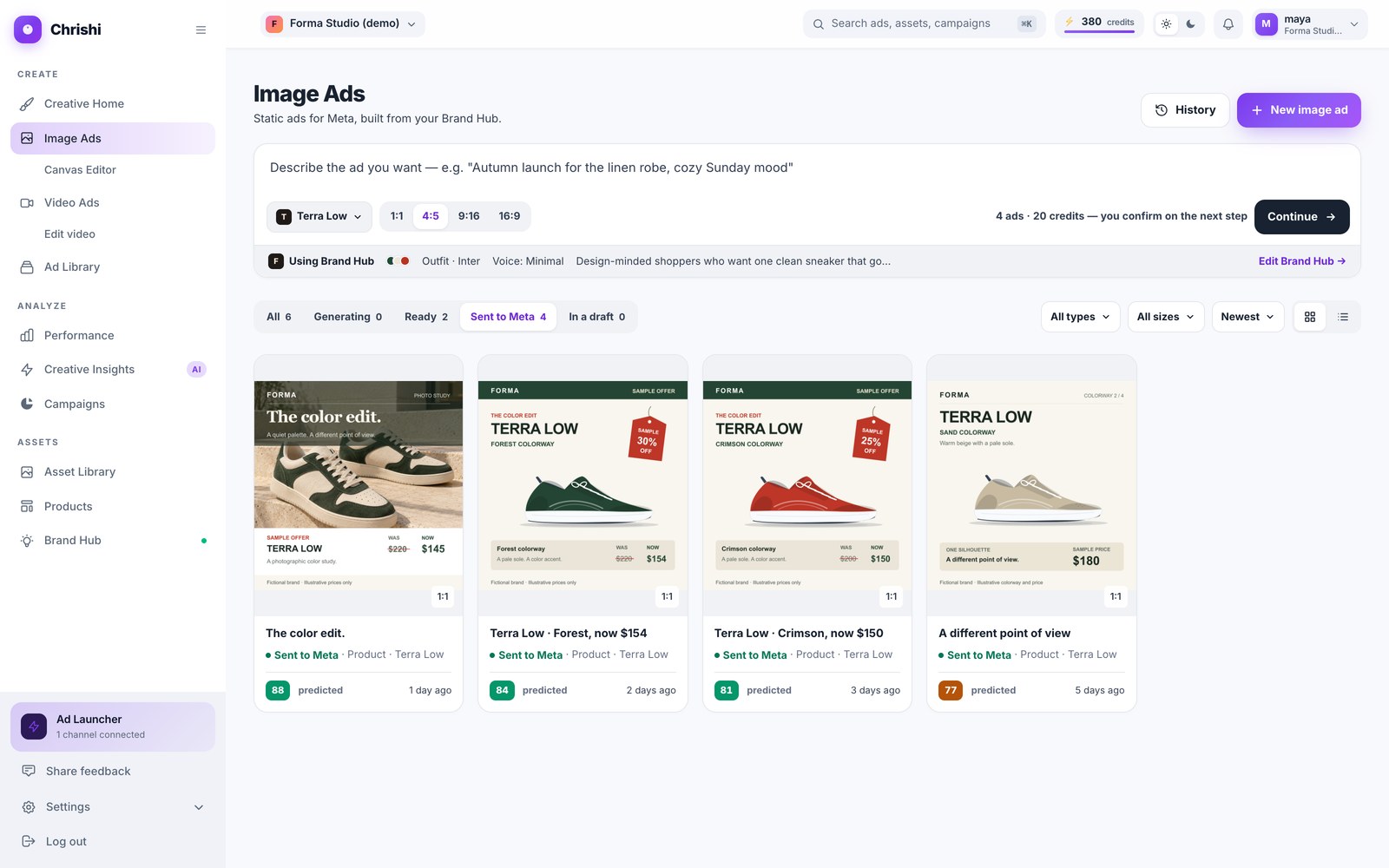
- Sent image ads wait under “Sent to Meta” in your library.
- Each one carries a Chrishi tracking link, and clicks are counted per link.
- Chrishi never switches a campaign on. Pausing, resuming and budget changes are yours, in Ads Manager.
Your ads. Your account. Your switch.
Start free with 25 credits. The first send costs 10 and is refunded if it fails.