Guide
From your store URL to a paused Meta ad
Paste your store’s address, claim the preview, make a batch, fix what you want in Canvas and send one ad to your Meta account paused. Ten steps, each with its cost and what to do if it goes wrong.
Steps 1 and 2
Get your preview
The start is free: a preview from your own site, then a free account to keep it.
-
Paste your store’s address on the home page Free
Chrishi reads your public pages and builds one ad concept from them. Nothing is saved to an account, and a preview you do not claim is deleted after 24 hours.
The form on the home page. A drawing, not a screenshot. -
Claim it with a free account
Sign up with your email or with Google and the preview becomes yours, along with 25 free credits. No card is needed.
Steps 3 to 6
Make the ads
Check what Chrishi learned about your brand, add the product, brief a batch and look it over.
-
Check your brand kit
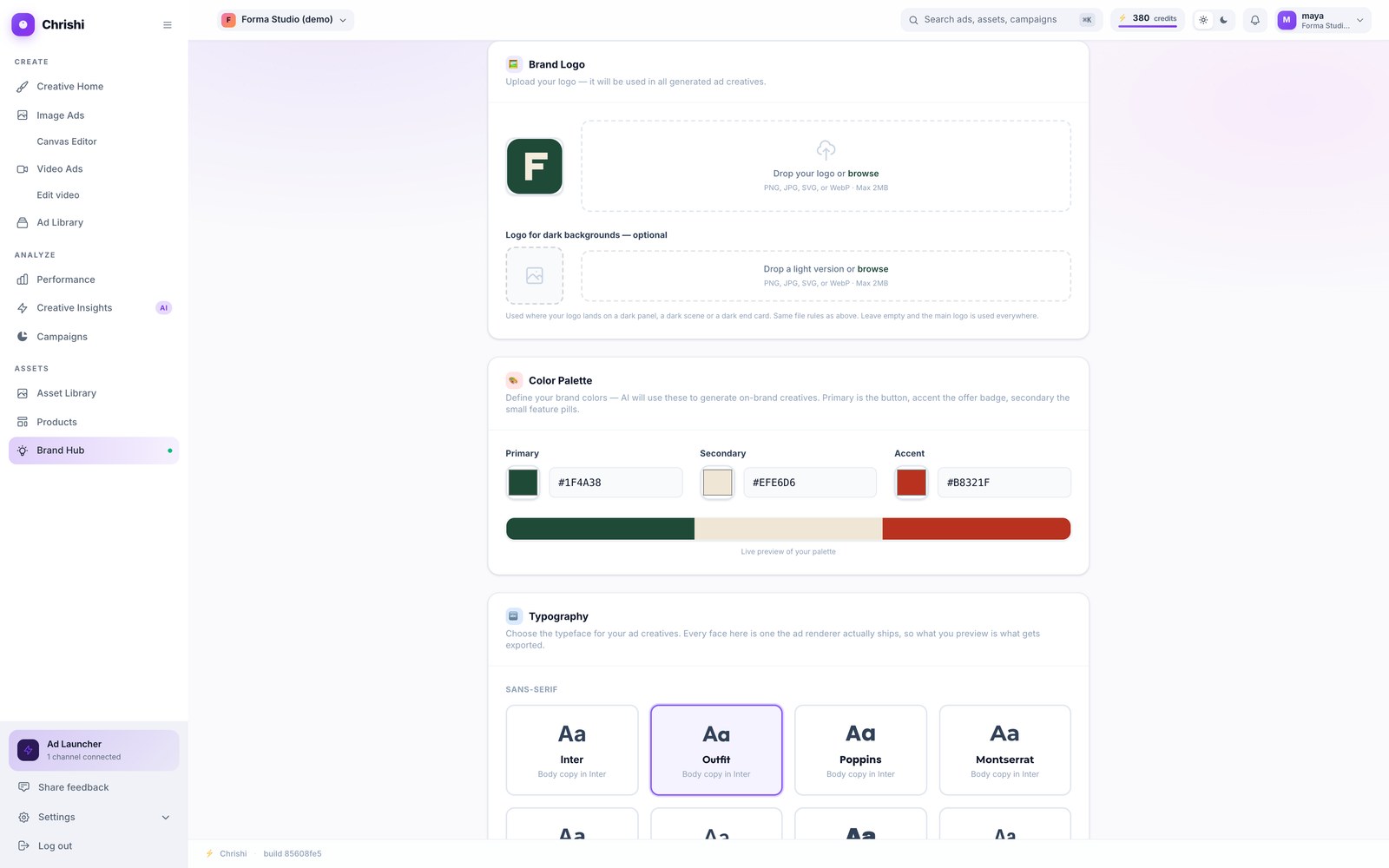
Chrishi read your logo, colours, typeface and tagline from your site. Open Brand Hub and correct anything that is off: upload a logo, change a colour or choose a typeface. Every ad uses what is saved here.
Screenshot of the current app -
Add the product
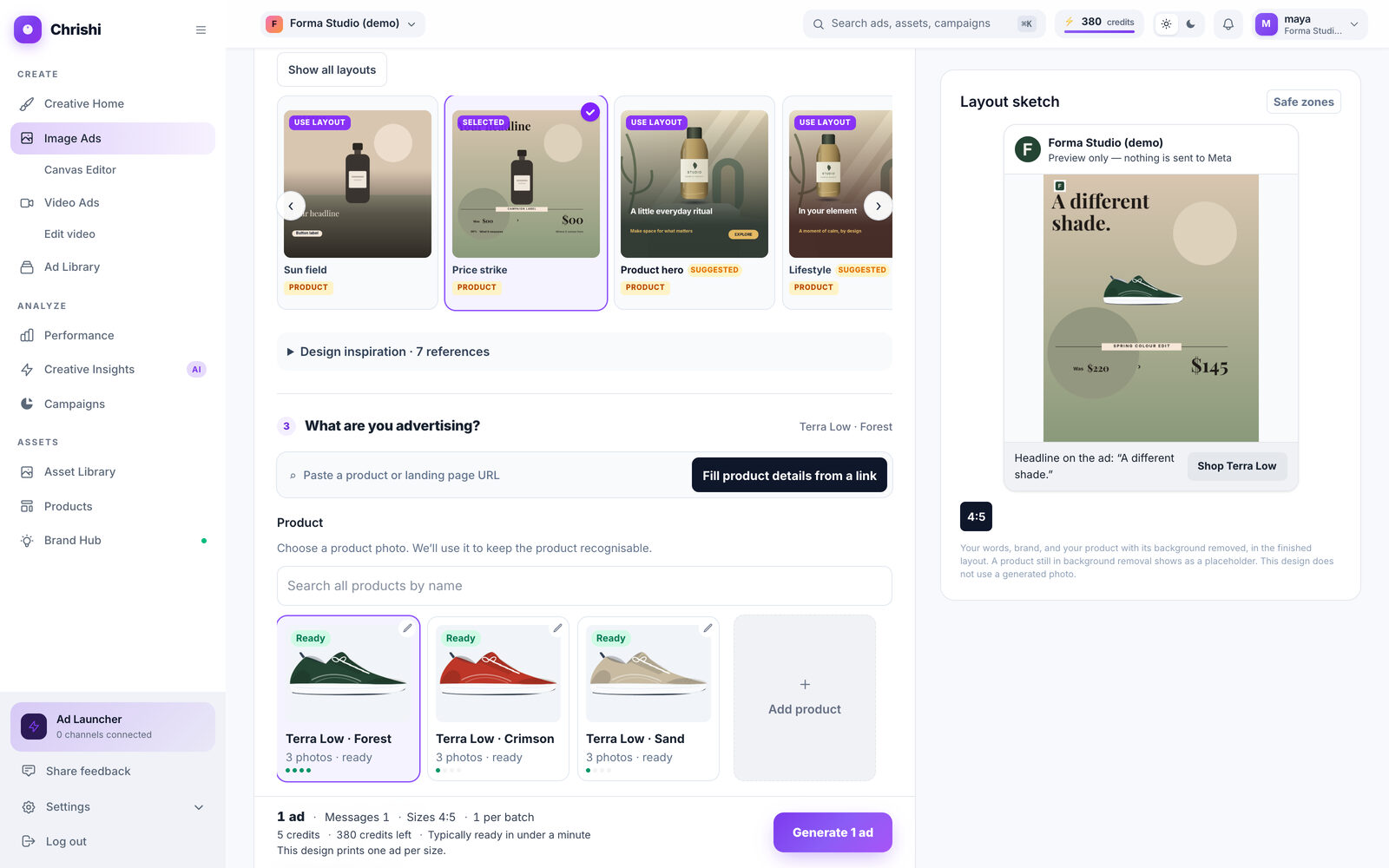
A physical product needs a photo from your catalog. Upload one and Chrishi removes its background, or bring your products in from a connected store. For software, services and brands you give a name and the facts the ad may use instead.
Screenshot of the current app -
Brief the batch 5 credits an ad
Choose a format and a layout, say what you are advertising and what the ad should say, then pick your sizes. Before you press Generate, the bar at the bottom shows what the batch will cost.
The layout picker
The cost, shown before you generate -
Review the ads and, if you want, open Canvas
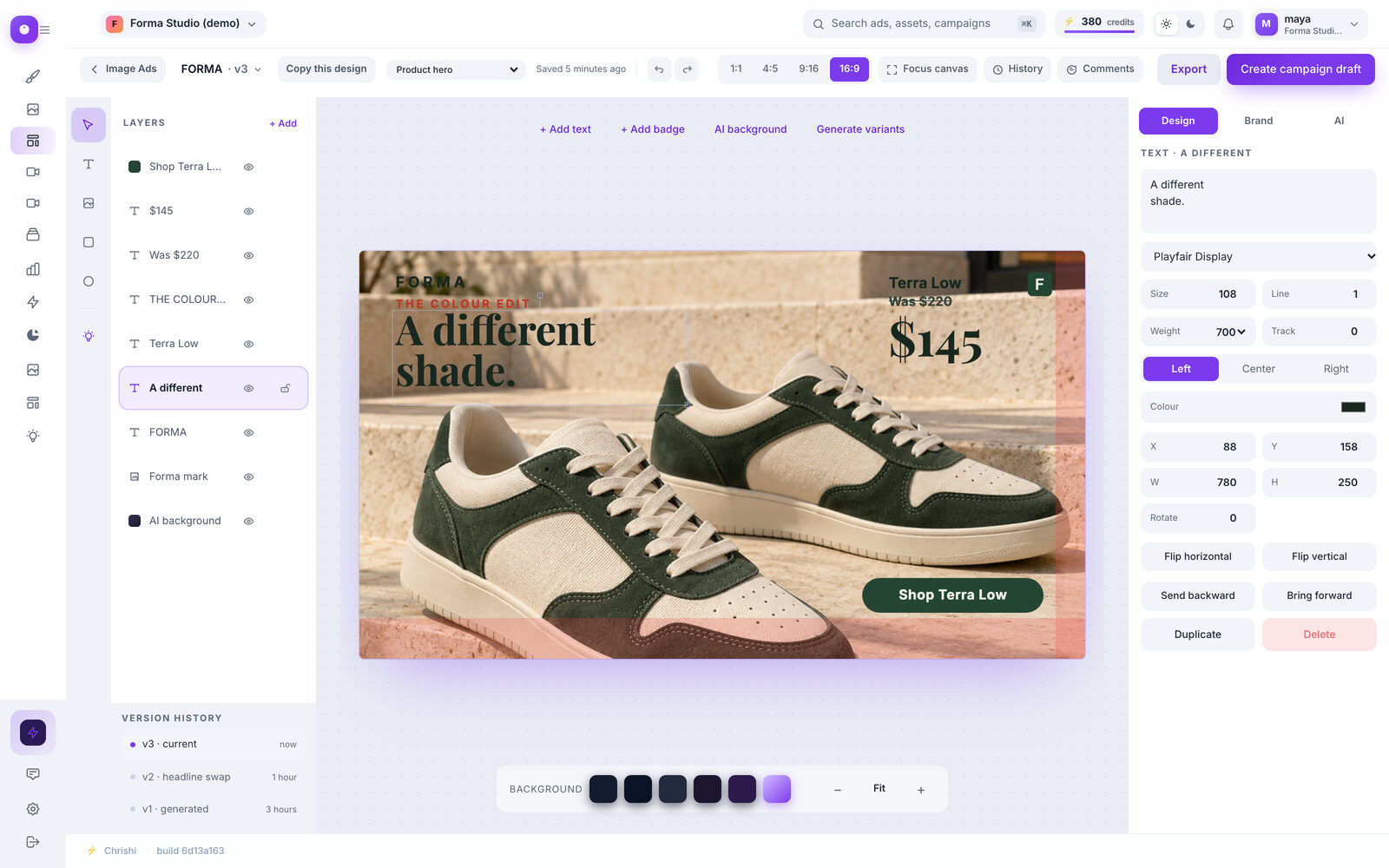
Your product photo is placed as it is and your words are typed, so a fix is an ordinary edit. Open an ad in Canvas to move, retype or restyle anything, then export it as a PNG.
Screenshot of the current app


Steps 7 and 8
Send one, paused
Sending takes a connected Meta ad account and a draft. Everything Chrishi creates on Meta arrives paused.
-
Save as a campaign draft
Tick the ads you want and choose Save as campaign draft. Nothing is sent yet: the draft stays in Chrishi until you send it from its own page.
Connect Meta first. Open Integrations (under Settings in the sidebar) and press Connect on “Meta (Facebook & Instagram)”. Until a Meta ad account is connected, the Save button stays greyed out.
Integrations, before and after you connect. A drawing, not a screenshot. The library once you tick some ads. A drawing, not a screenshot. -
Send to Meta (paused) 10 credits
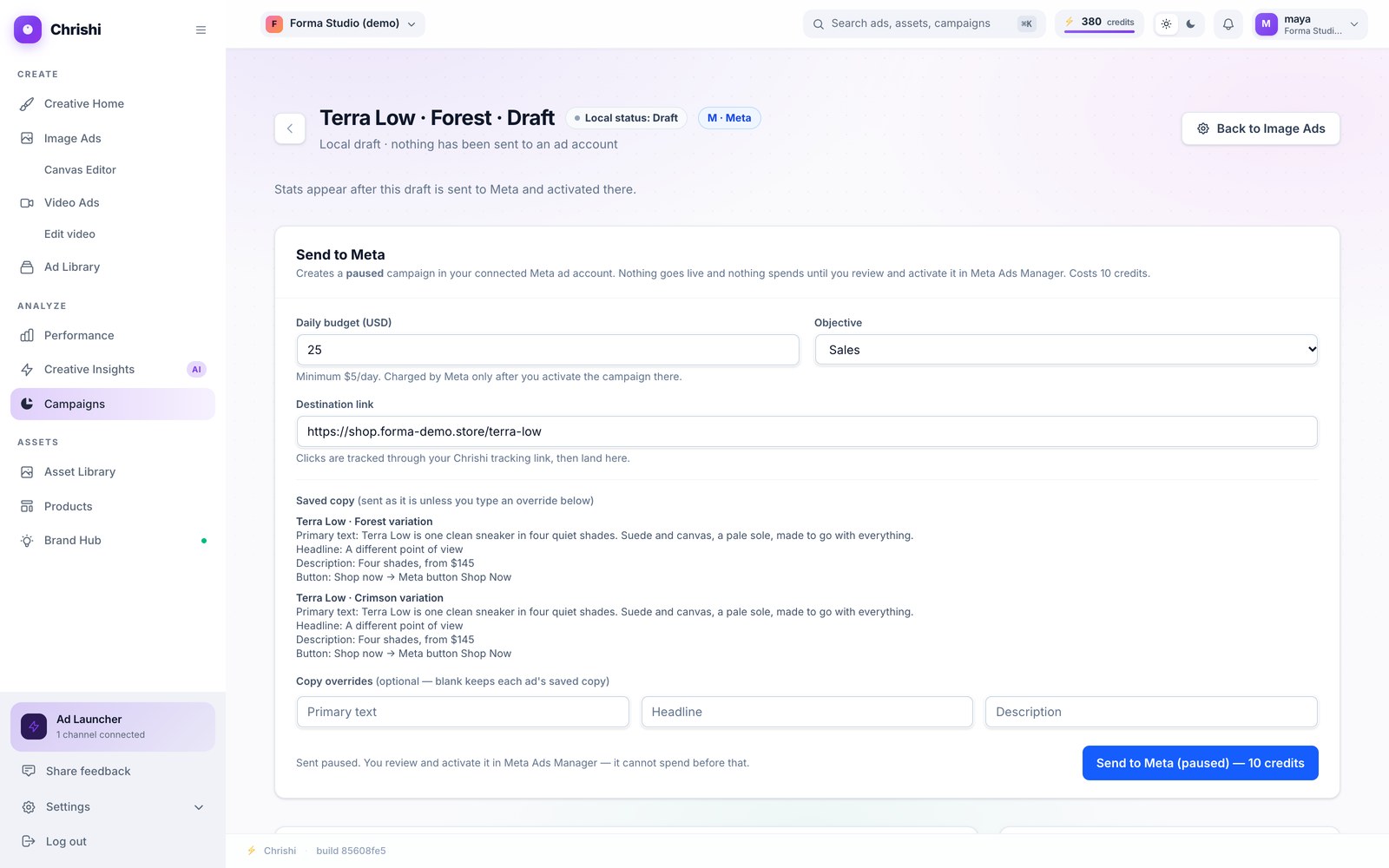
On the draft page, set a daily budget of at least $5, choose an objective and add your destination link. Your saved ad text is sent as it is; type your own to replace it (primary text up to 125 characters, headline up to 27, description up to 27). The button reads Send to Meta (paused) — 10 credits, and the credits come back if the send fails.
Screenshot of the current app

Steps 9 and 10
Switch it on and watch
The last two steps are yours. Chrishi never changes a campaign from paused to active.
-
Activate in Ads Manager
The campaign, the ad set and the ad are waiting in your ad account, all paused. Open Ads Manager, check them, and switch them on when you are ready. That switch only exists in Ads Manager, and only you press it.
The three things Chrishi creates, as they wait in Ads Manager. A drawing, not a screenshot. -
Watch the clicks
Every sent ad links through route.chrishi.co, so clicks are counted per tracking link in your workspace. Spend and results are in Ads Manager. Sent image ads also wait under Sent to Meta in your Image Ads library.
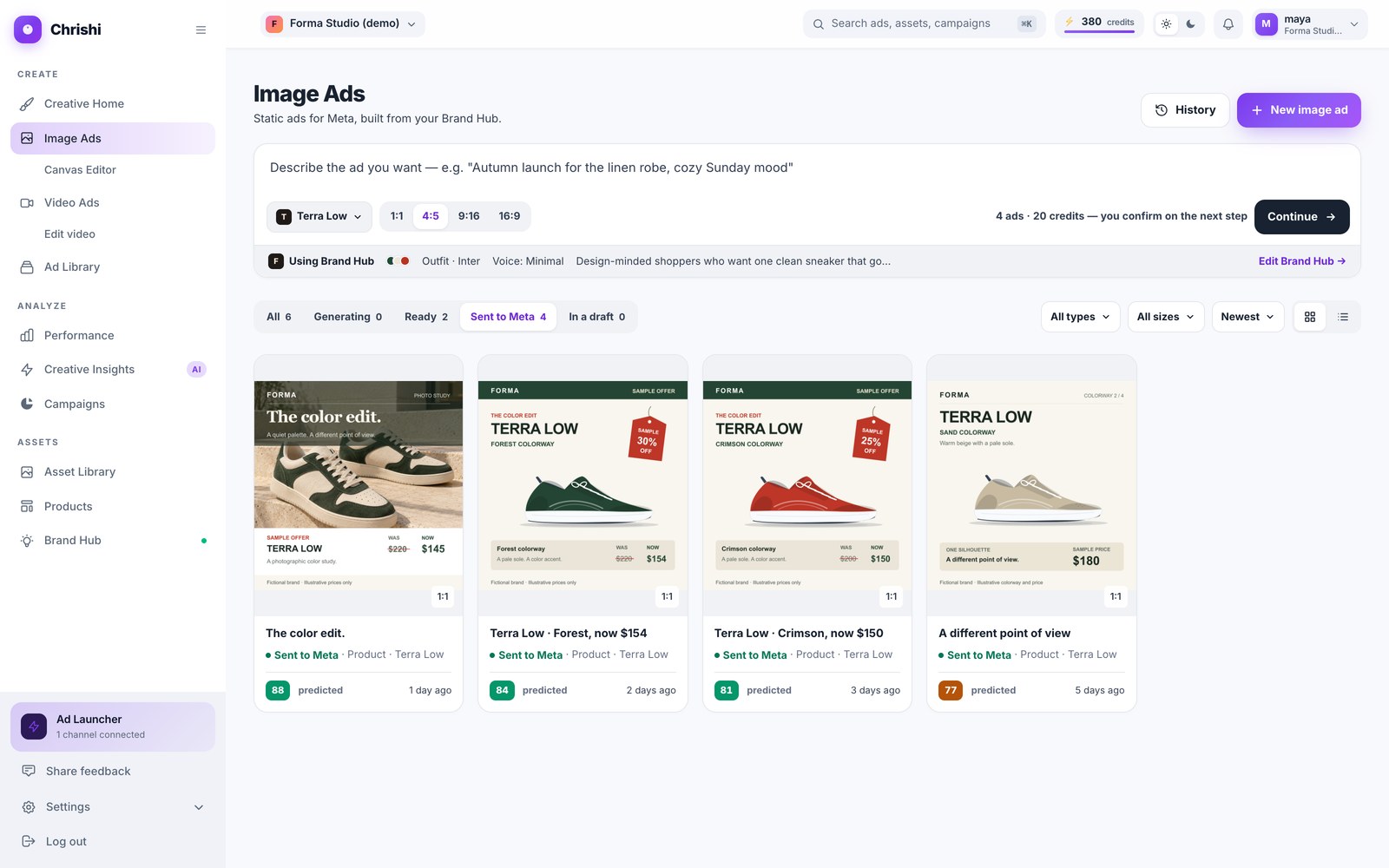
Screenshot of the current app

The numbers
What it costs
- The preview
- Free. A free account starts with 25 credits.
- A batch of 5 ads
- 5 × 5 credits = 25 credits, shown before you generate.
- One send to Meta
- 10 credits, refunded if the send fails.
- This whole guide
- 35 credits for a 5-ad batch and one send.
- On the free credits
- Make 3 ads and keep 10 for the send: 3 × 5 + 10 = 25 credits.
Good to know
If something goes wrong
- Not enough credits
- Chrishi checks your balance before paid work starts and stops before it charges you.
- Only part of a batch arrives
- The missing share is refunded. If nothing arrives, everything still outstanding is refunded.
- Save as campaign draft is greyed out
- No active Meta ad account is connected. Connect one on Integrations, then try again.
- Chrishi asks you to reconnect Meta
- The connection has expired. Press Reconnect on the Meta card on Integrations, then send again.
- Text over a limit
- Chrishi asks you to shorten it before sending. Nothing is cut and nothing is charged.
- The send fails
- The 10 credits come back. Send again with the same settings to finish it.
Still stuck? Tell support what you were doing: the screen, what you expected and what happened.
Try the steps on your own store.
One free ad concept from your public pages, or start with 25 free credits.